Running your production
Budget
Plan what a production should cost, and watch the real spend against it.
The Budget area lets you plan what a production should cost and watch how the real spend tracks against it, so there are no surprises at the wrap meeting.
You will find it under Resources in the menu on the left. It has three tabs: Budget, Actuals and Profit & Loss.
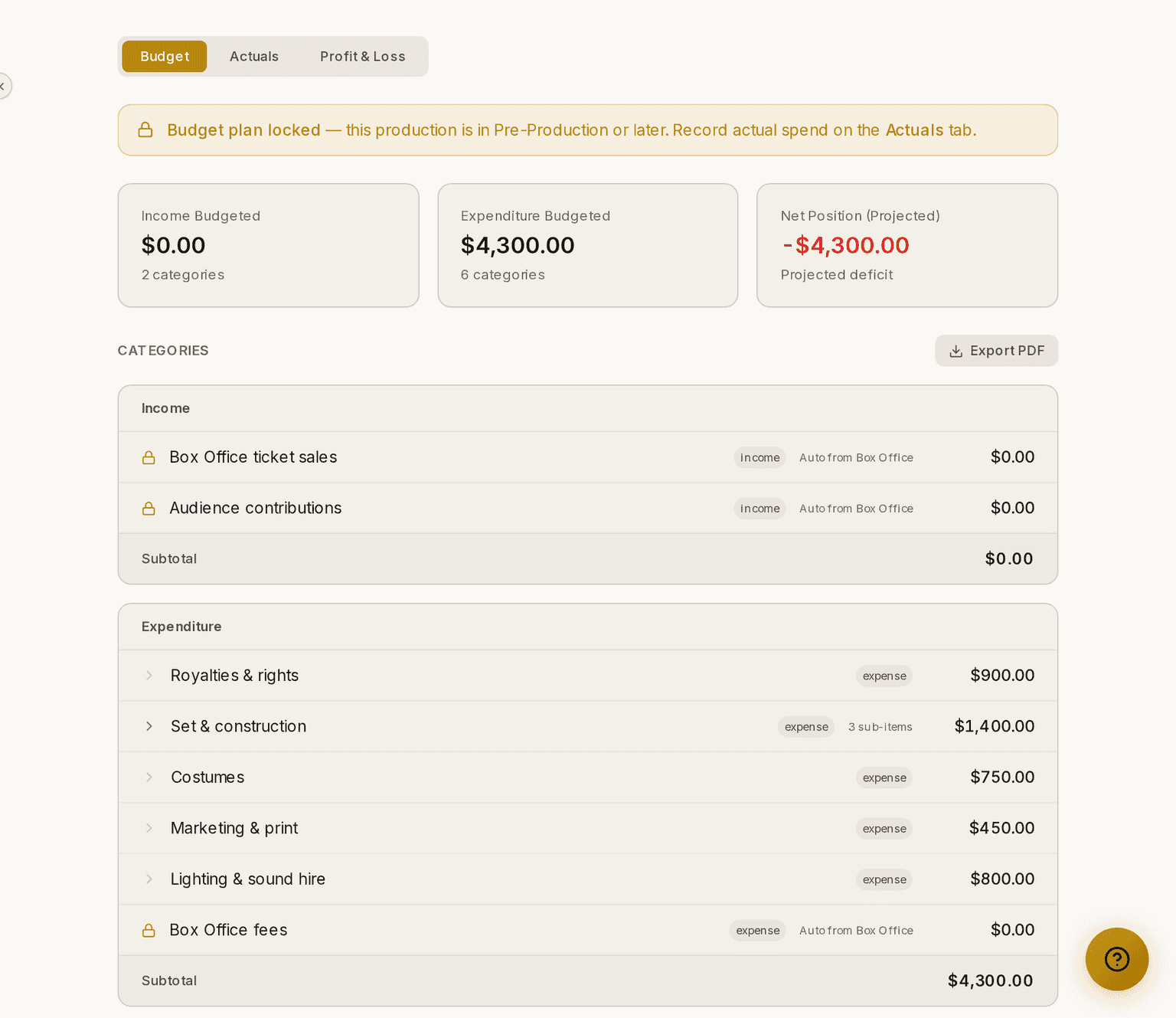
Screenshots show the light theme. The app looks the same in dark.
How to plan a budget
⚠ Build your budget while the production is still in Planning. From Pre-Production onwards the plan locks and you record actual spend instead. Building one afterwards is not possible.
- Open Budget ▸ Budget.
- Add a category — set, costumes, rights, marketing, and so on.
- Give the category a budgeted amount.
- Add line items inside a category if you want to break it down further.
How to record what you actually spent
- Open Budget ▸ Actuals.
- Add a transaction against the category or line item it belongs to.
- Give it a description, an amount, a date and who paid.
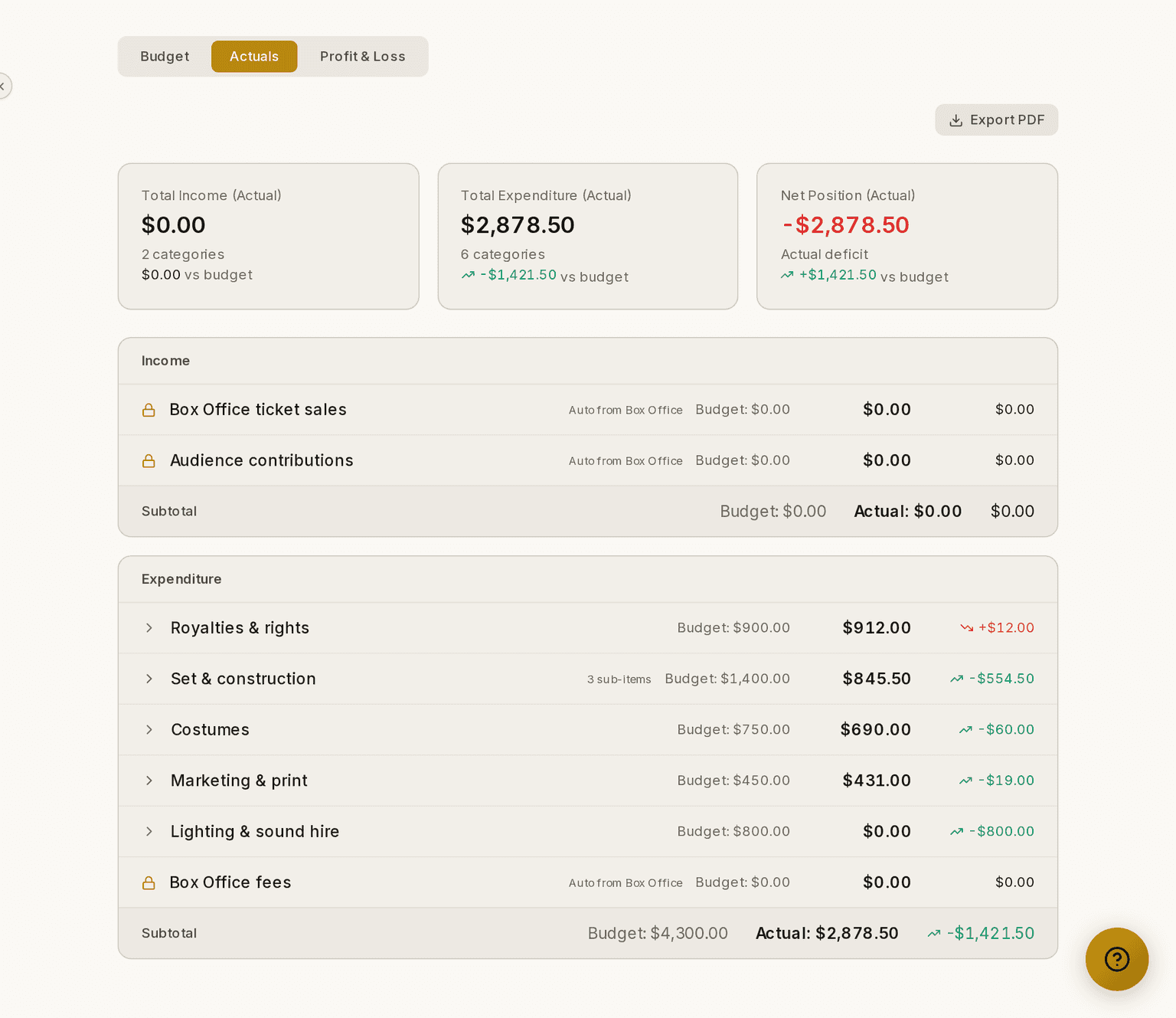
Prompter shows plan against actual with the variance for each category and an overall total, so you can see where you are under, over or on track.
How to see whether the show made money
Open Budget ▸ Profit & Loss. It totals income against expenditure for the production as a whole.
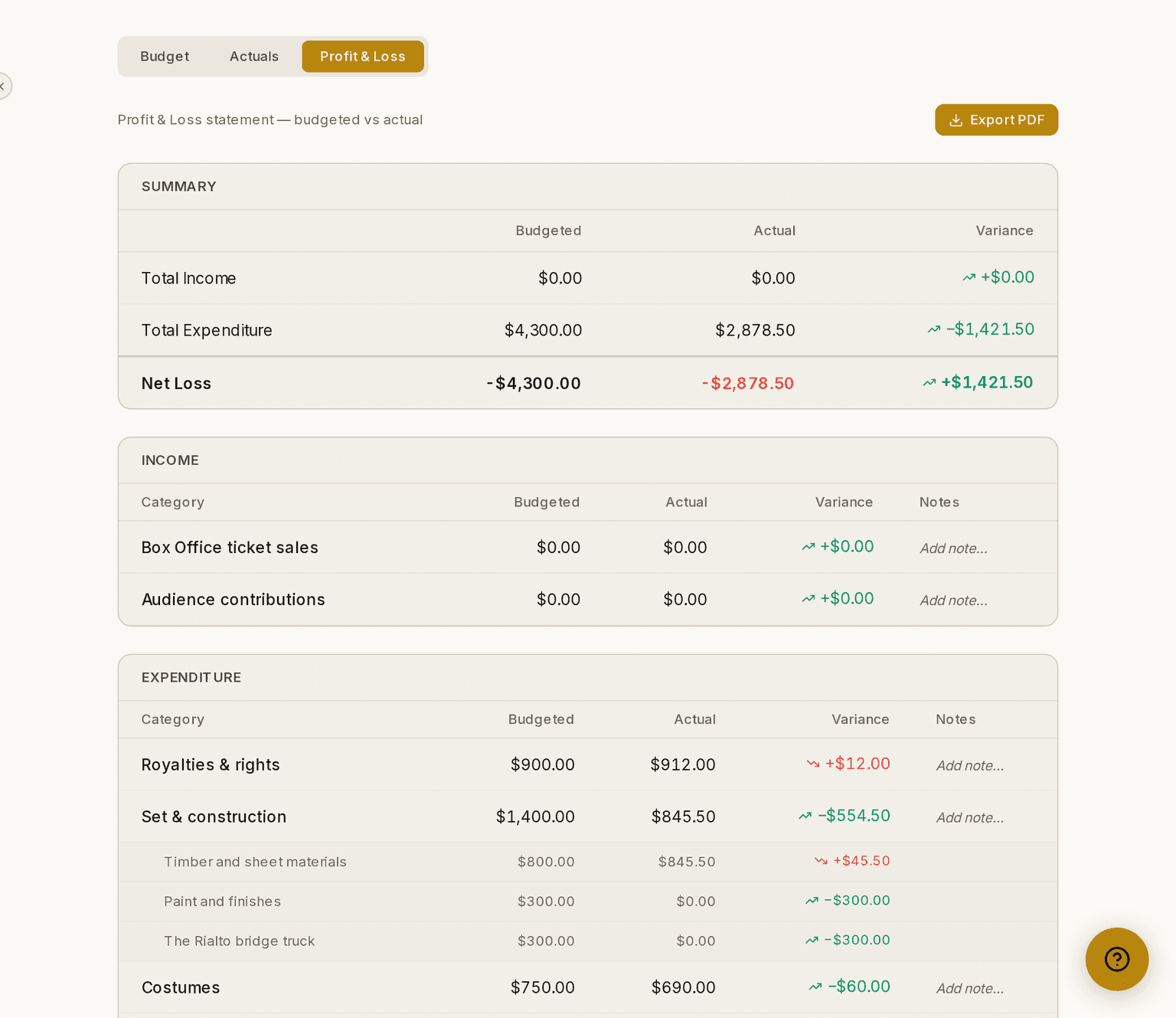
Export PDF, at the top right, gives you a copy for the committee.
The three lines Prompter fills in for you
Every production has three lines Prompter keeps up to date: Box Office ticket sales, Box Office fees and Audience contributions. You can spot them by the padlock and the words "Auto from Box Office".
You can still set a target on them. Type what you hope to take at the door and Prompter shows the variance the same way it does for any other category.
⚠ You cannot type the actual figure on these three. Prompter fills it in from real ticket sales as they happen, so there is nothing to reconcile and nothing to key in twice. For the same reason you cannot rename them, delete them, or record a transaction against them.
Box Office fees usually reads zero. Your buyers pay the booking fee and the platform fee on top of the ticket price, so your company banks the ticket price whole. That line only shows a figure where money genuinely came out of your account.
Audience contributions reads zero until you let your buyers round their total up, which is off until you turn it on. It is kept apart from ticket sales on purpose: a round-up is a gift rather than payment for a seat, and your treasurer needs to tell the two apart. See Box Office.
Currency and access
Amounts are shown in your production's currency, so the figures read naturally for wherever you are.
The Budget is a Manager-level area, alongside Show, Auditions and Timeline.
These guides describe Prompter as it works today. Create a free account to try it, or see what it costs.