Running your production
Noticeboard
Broadcast announcements to your whole company, with pins and urgent flags.
The Noticeboard is your production's announcement channel — the place for anything the company needs to know, from "read-through moved to Thursday" to "costumes due next week".
You will find it under People & Comms in the menu on the left.
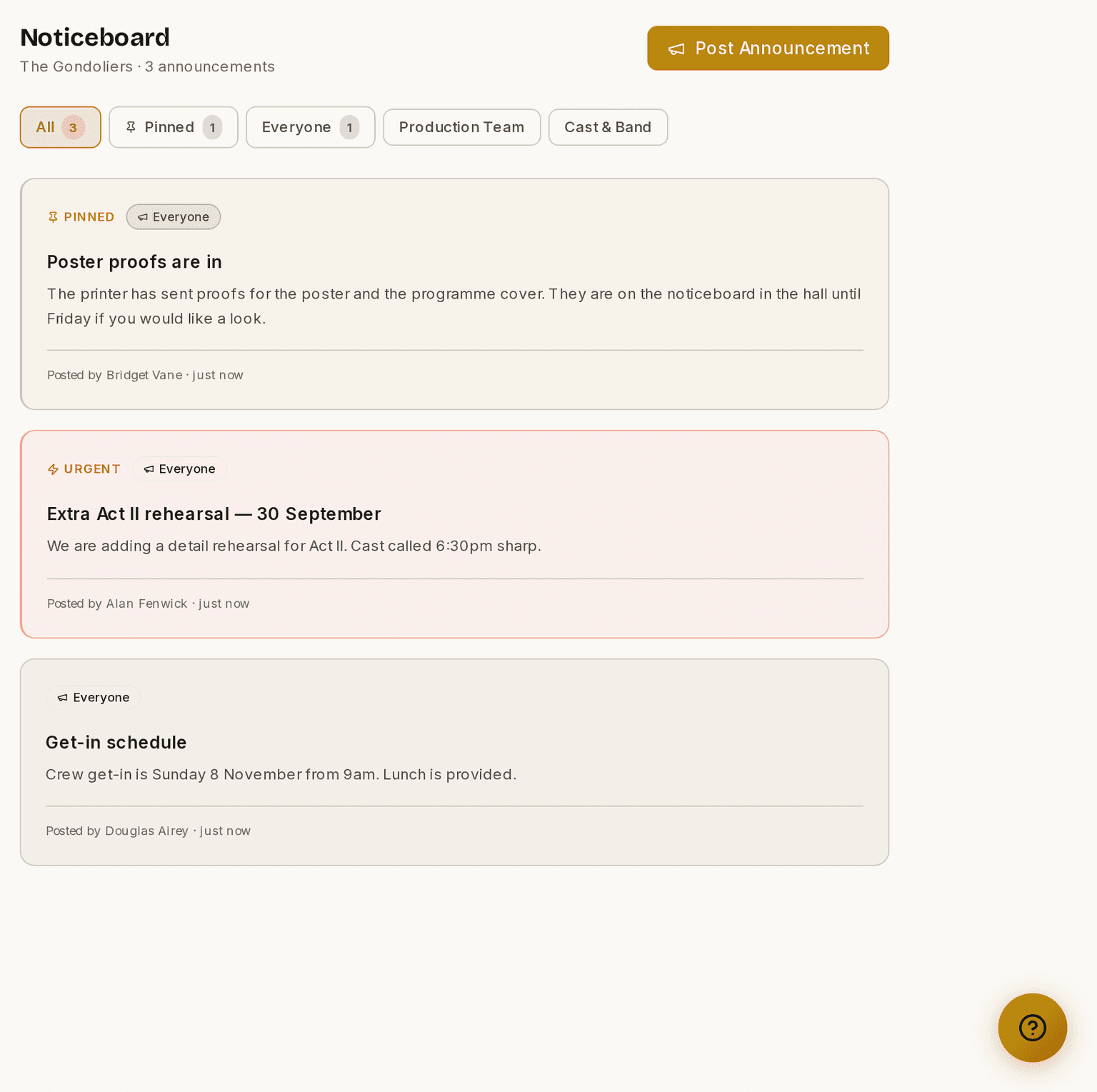
Screenshots show the light theme. The app looks the same in dark.
How to post an announcement
- Open Noticeboard.
- Click Post Announcement.
- Type a Title and a Message.
- Choose the audience — the whole company, or a narrower group such as Cast or a single department.
- Tick Pin if it should stay at the top.
- Tick Urgent if it cannot wait.
- Post.
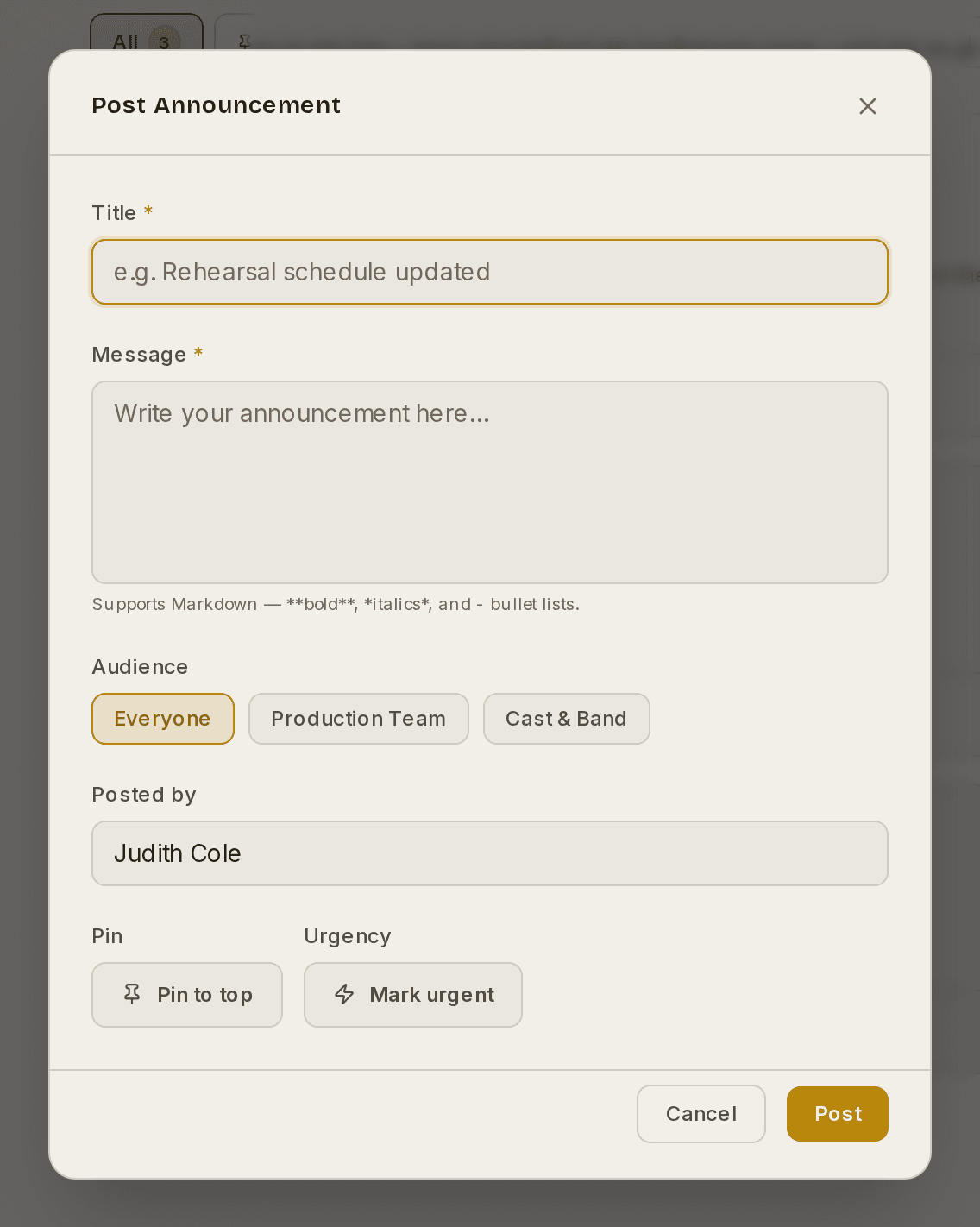
⚠ Urgent also emails the audience, for anybody who has opted into urgent notifications. Use it for something that cannot wait until they next open Prompter, not for everything.
Posts support Markdown, so you can add bold, links and lists. New productions start with a pinned welcome post already in place.
Managers and HODs can post. Everybody else sees a read-only Noticeboard.
How to find an old post
Use the filters along the top of the board. All shows everything, Pinned shows just the pinned posts, and the rest narrow by audience. The number beside each tells you how many posts are in it.
Why use it rather than a group chat
The Noticeboard is tied to your production and your company list, so announcements reach exactly the right people and stay findable later. There is no scrolling back through a busy chat thread to find when the get-in was. Urgent posts still nudge people by email, so nothing important is missed.
These guides describe Prompter as it works today. Create a free account to try it, or see what it costs.