Running your production
Show structure
Break your show into scenes and beats, and track who's in each one.
The Show page is where your script lives as structure — the scenes and Beats that drive rehearsal planning, call sheets and casting. It works equally well for a musical or a straight play.
You will find it under Production in the menu on the left. It has two tabs: Characters and Structure.
Screenshots show the light theme. The app looks the same in dark.
How to add a character
- Open Show ▸ Characters.
- Click Add Character.
- Type a Character Name. This is the only required field.
- Fill in any audition requirements that apply — voice type, vocal range, age range, gender, dance level, dance type and a casting note.
- Click save.
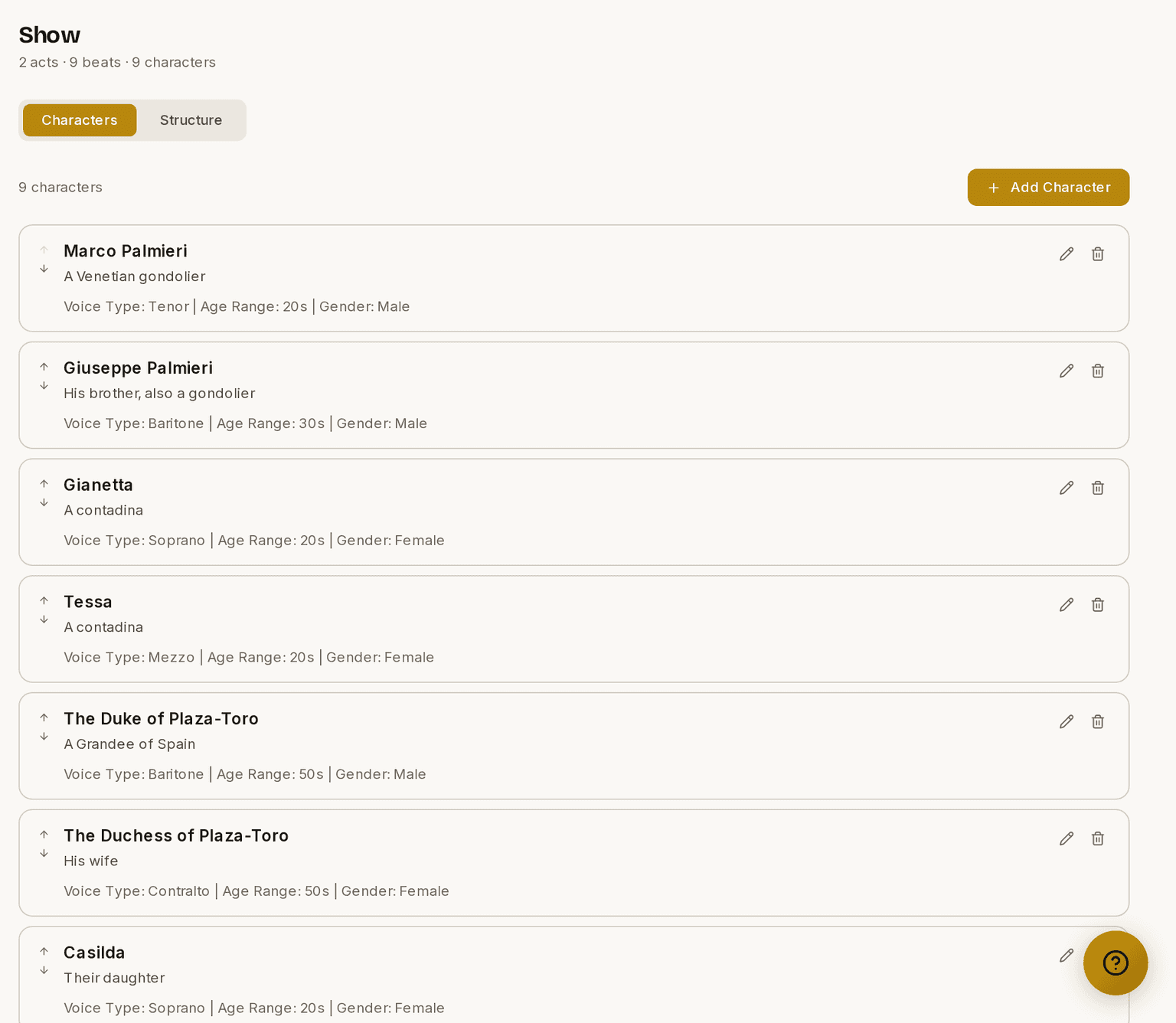
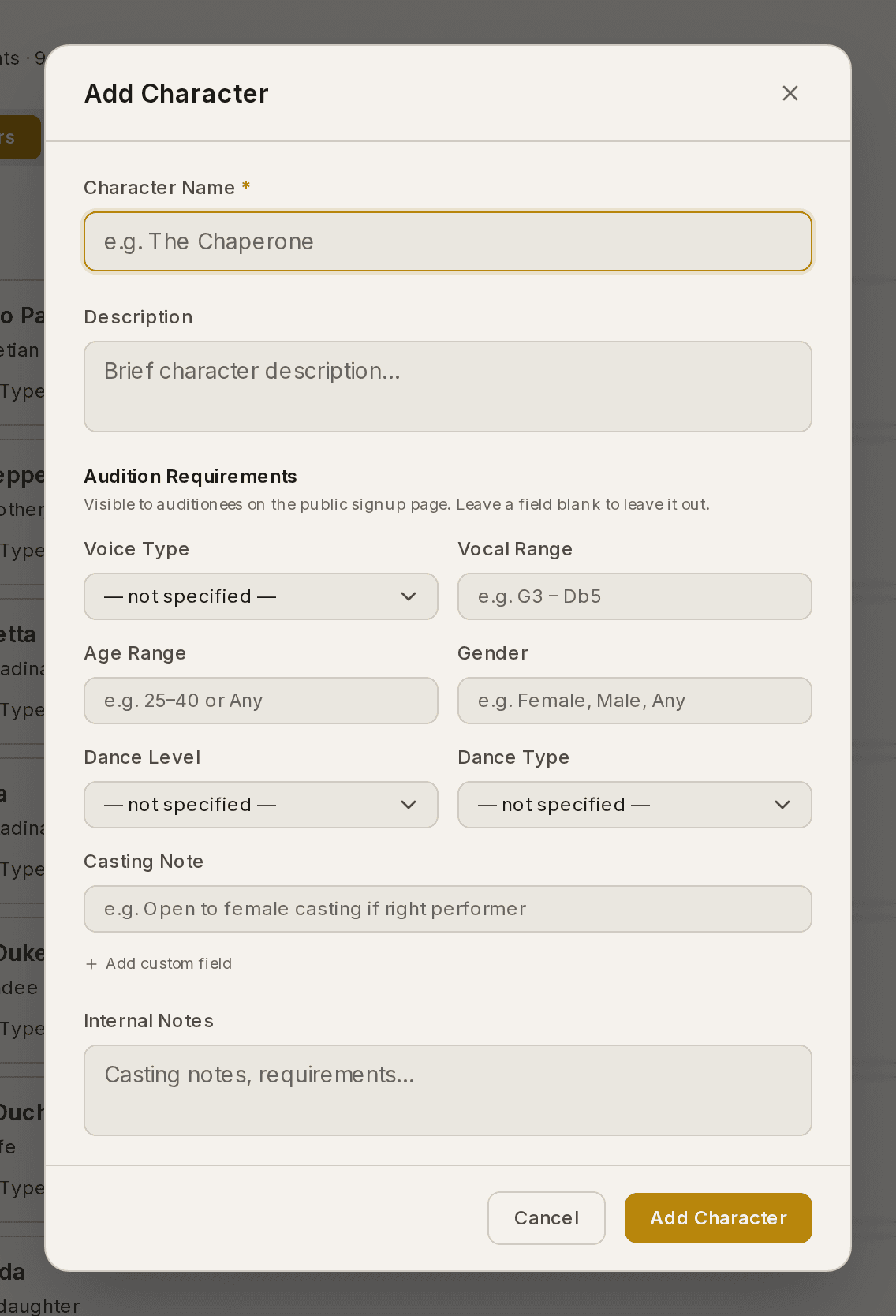
Anything you fill in is shown to auditionees on the public sign-up page. Anything you leave blank is not shown. To stop publishing a detail, clear the field.
Characters are the roles auditionees express a preference for, and casting somebody as Accepted links them to their character automatically.
Ensembles, chorus and any other group
A character can hold as many people as you like. That is how you keep an ensemble together instead of listing everybody separately.
Make a character called Ensemble — or Chorus, or Villagers, or as many groups as your show needs — and cast everybody into it. It then behaves as one role everywhere: one card on the casting board, one tick on a Beat, one group in the call.
If you are auditioning for a group rather than named parts, turn Collect role preferences off on that audition session.
How to build the running order
- Open Show ▸ Structure.
- Click Add Act and give it a name.
- Click Add Scene inside that act.
- Click the arrow beside a scene to expand it.
- Click Add Beat, type a title, and choose its type — Musical Number, Dialogue, Business or Tech Moment.
- Tick the characters in that Beat as you create it. The cast picker is on the form.
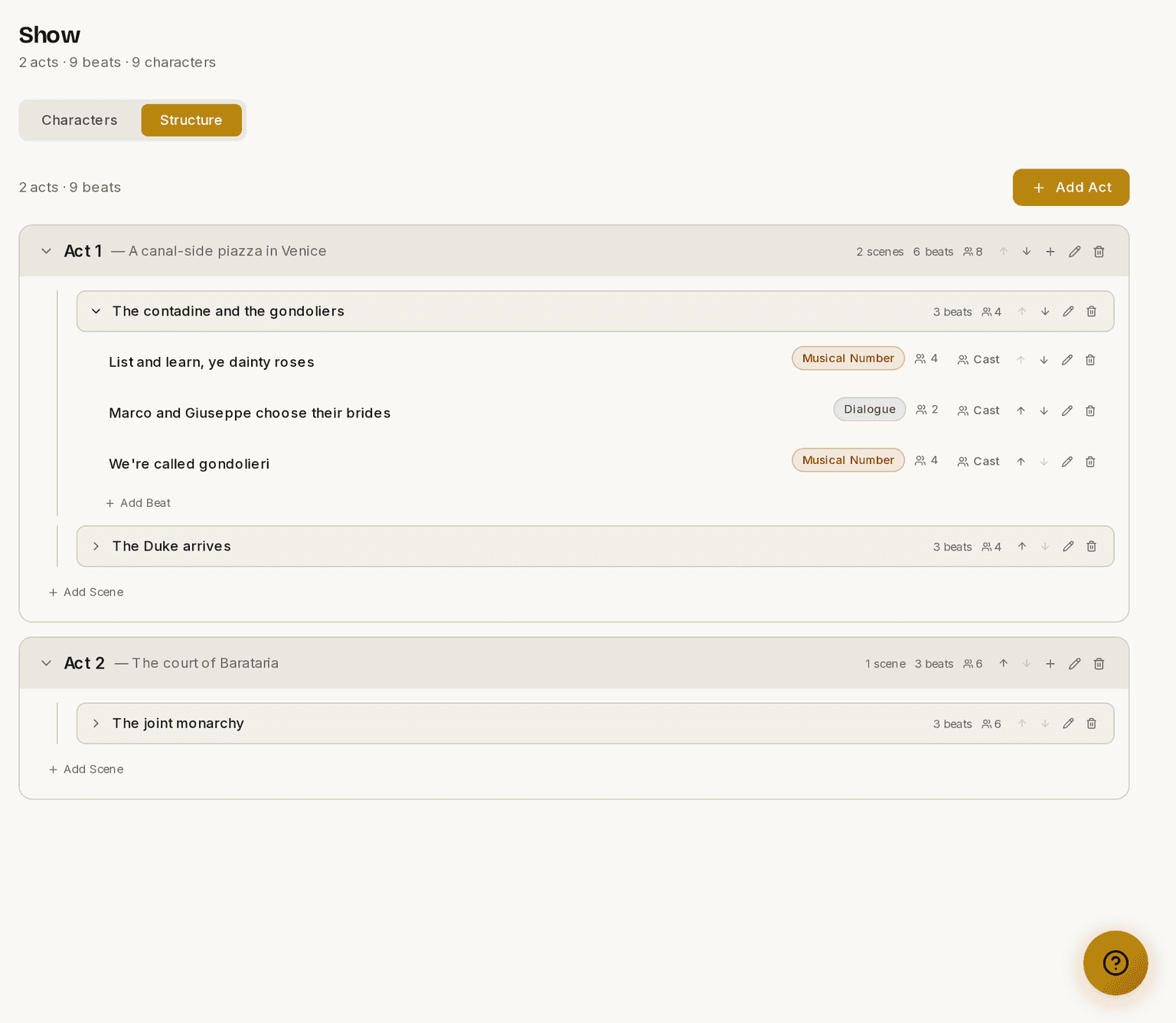
⚠ The levels are not optional. A Beat always sits inside a scene, and a scene inside an act. That is what lets Prompter work out who is needed at a rehearsal.
A Beat is Prompter's term for a unit of the show inside a scene — a song, a dialogue exchange, a dance break, whatever you rehearse as a chunk. Using Beats consistently means you can plan a rehearsal around "we're working Beats 4 to 7" and have everybody on the same page.
Typing a show in quickly
Every form — act, scene and Beat — has three buttons: Cancel, Save, Close and Save, add another. Pressing Enter does the same as "Save, add another", so entering a run of Beats is just typing: title, Enter, title, Enter.
On Beats the button says Save, add similar, because the type and the cast you ticked carry over to the next one. Only the number and title clear. Consecutive Beats in a scene usually share both, so a scene of dialogue with the same four characters goes in very quickly.
Each form sits directly below the list it adds to, so new rows appear where you are working.
How to change who is in a Beat
- Open Show ▸ Structure.
- Expand the scene.
- Click Cast on the Beat's row.
- Tick or untick characters.
⚠ Call sheets are built from the characters ticked on each Beat, not from who is cast. Casting somebody through Auditions gives them their role; it does not put them into the running order. Once your Ensemble is cast, open the Beats it appears in and tick it there. Do that and every call afterwards builds itself. Skip it and the call sheet comes out empty.
Prompter will not guess for you. A Beat with nobody ticked calls nobody, on purpose — it is better to send no call than to call your whole cast to a rehearsal of two scenes.
How to cast a whole scene at once
Ticking Beats one at a time is slow on a full-length show. Do the scene in one go instead.
- Open Show ▸ Structure.
- Find the scene you want. You do not need to expand it.
- Click the people icon on the scene's row.
- Tick everyone who appears anywhere in that scene.
- Click Add to n Beats.
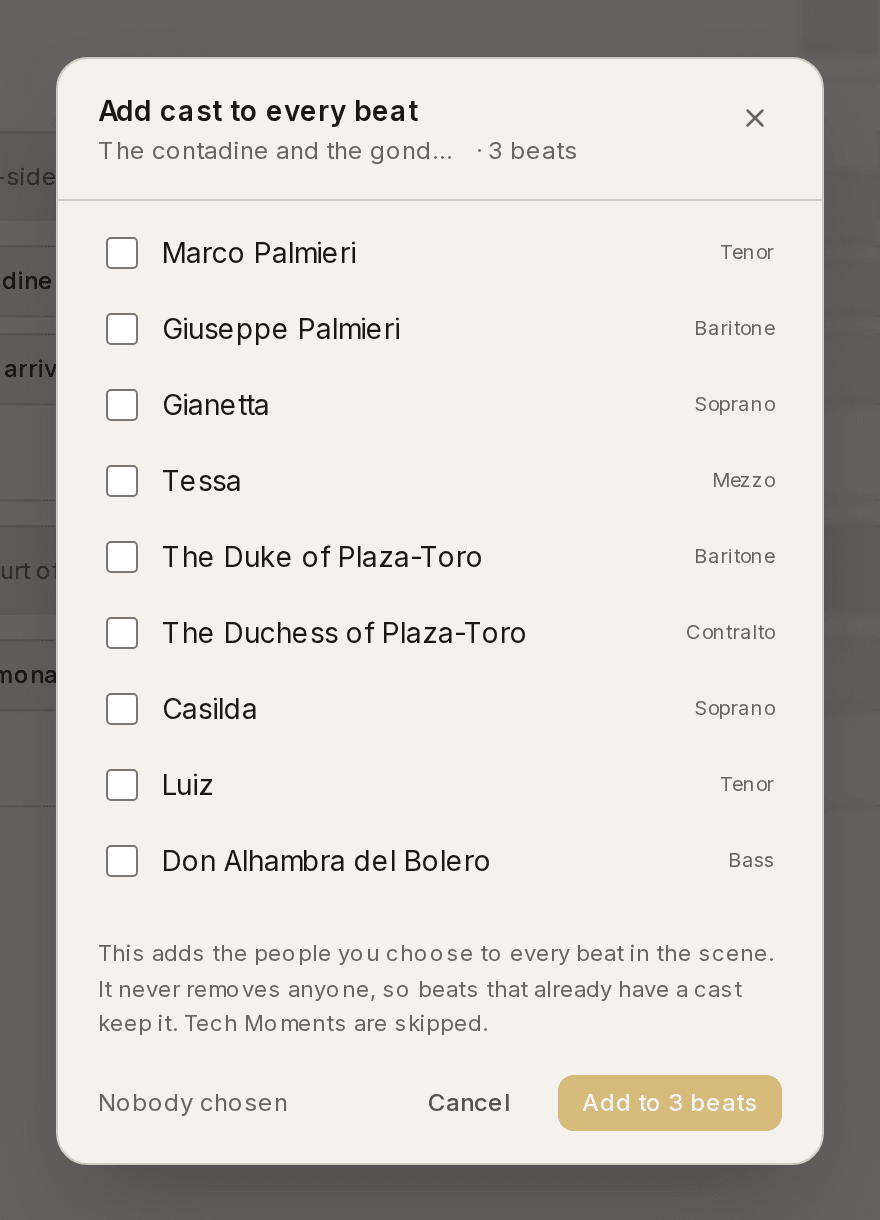
This only ever adds. A Beat that already has its cast keeps it, so you can run it over a scene you have part-finished without losing anything. Tech Moments are skipped, because nobody appears in a scene change.
Then tidy up the odd Beat where somebody is off stage, using Cast on that Beat's row.
Structure tells you where you still are short. If any Beat has nobody attached, the top of the tab says so — for example "3 of 4 Beats have no cast attached" — and explains what it costs. Clear that line before your first rehearsal and every call afterwards builds itself.
Why it is worth doing early
Setting your structure up in Planning pays off everywhere later. Call sheets pull the cast of whatever you are rehearsing, auditions collect preferences against real roles, and your rehearsal schedule links to the exact scenes being worked. It is the backbone the rest of the production hangs off.
These guides describe Prompter as it works today. Create a free account to try it, or see what it costs.