Running your production
Documents
Store scripts, scores, contracts and more, organised by category.
The Documents area is your production's filing cabinet — scripts, scores, risk assessments, contracts, programme artwork, and anything else your team needs to reach.
You will find it under Resources in the menu on the left.
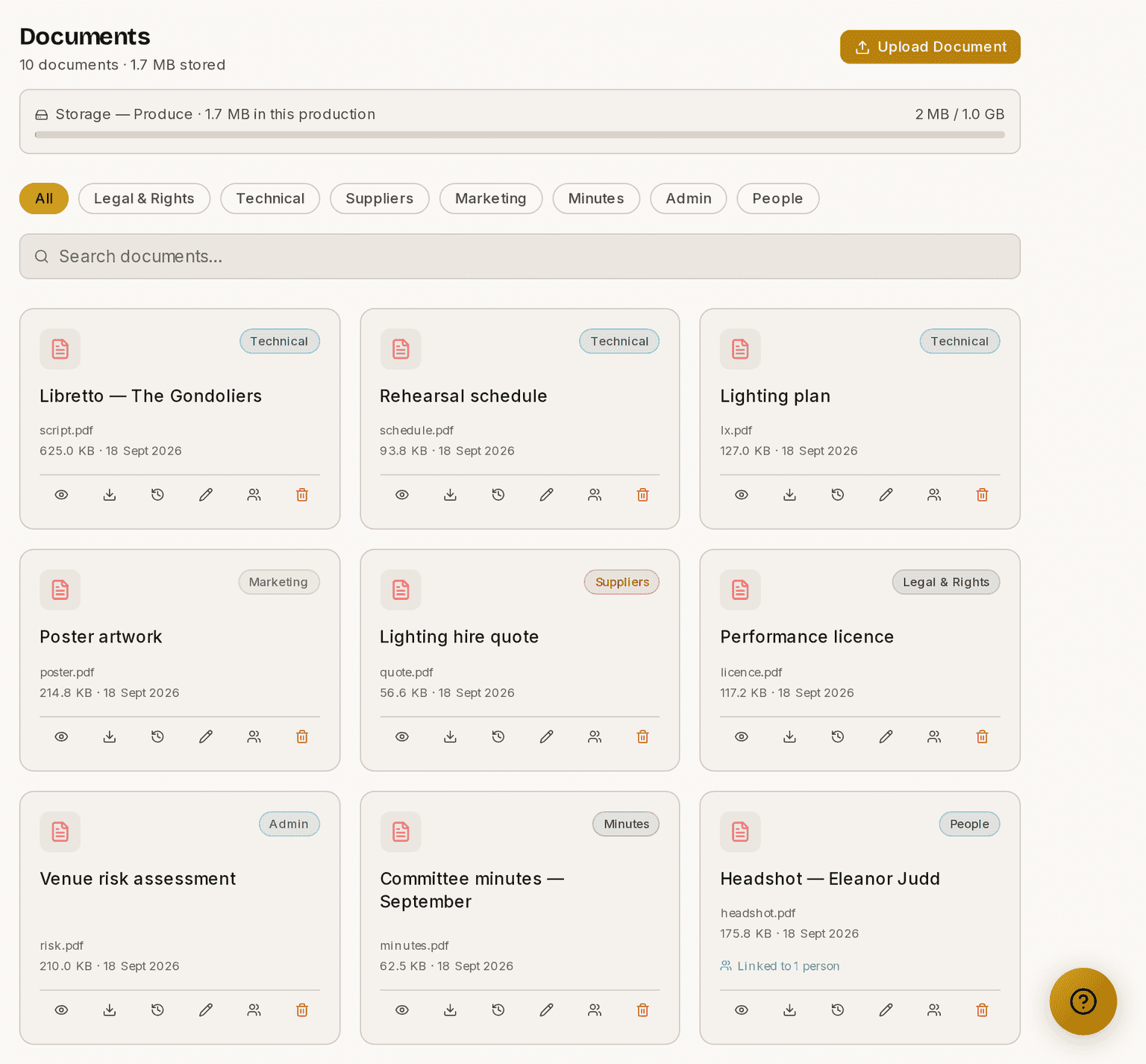
Screenshots show the light theme. The app looks the same in dark.
How to upload a document
- Open Documents.
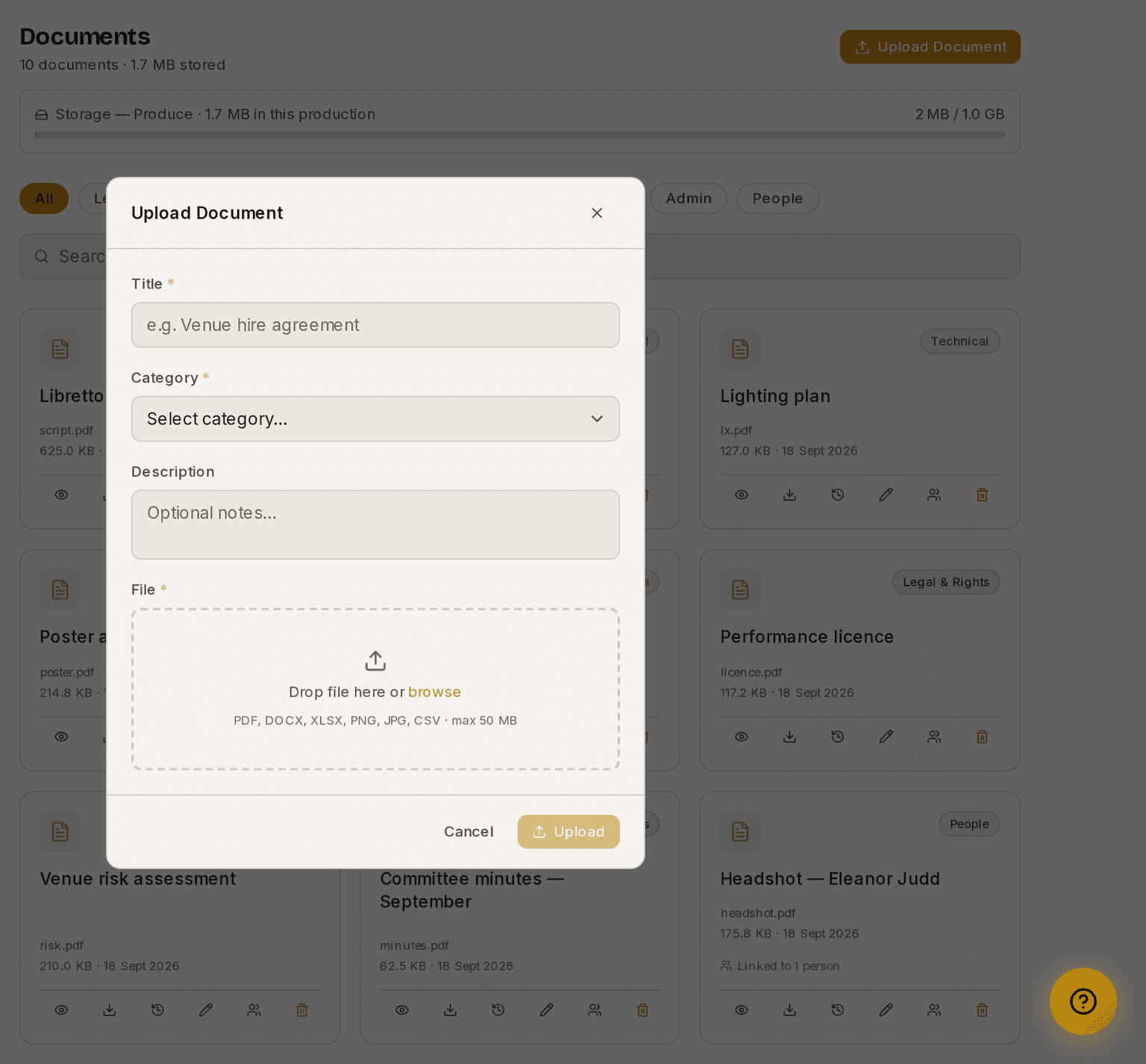
- Click Upload Document.
- Type a Title.
- Choose a Category. This is required, and it decides who can see the file.
- Add a Description if it helps.
- Choose the File.
- Upload.
Categories, and who can see them
There are seven categories, and they are not all equal.
⚠ Four of them are manager-only and hidden from heads of department. Put a file in one of these and no HOD can see it, find it in a filter, or download it:
- Legal & Rights
- Admin
- People
- Minutes
The other three are open to everybody on the production:
- Technical
- Suppliers
- Marketing
That split is deliberate. Committee papers, contracts, minutes and personal files should not be open to every head of department, while the script and the production's working material should be.
⚠ Choose the category with that in mind, not just by what the file is called. A contract filed under Technical is readable by every HOD.
How to attach a document to a person
Files uploaded from a person's Production Documents section are filed under People automatically and linked to that person. See How to attach a document to a person for the steps.
They appear both on the person and in the Documents list filtered to People, so a headshot or a signed form lives in both the obvious places.
Storage
The meter at the top of the page shows how much of your plan's storage this production is using. Archiving a finished production frees its storage.
These guides describe Prompter as it works today. Create a free account to try it, or see what it costs.