Getting started
Roles & access
The two kinds of role — organisation (Owner, Admin, Presence Manager) and production (Manager, HOD, Member).
Prompter has two kinds of role, and they're deliberately separate:
- Organisation roles — Owner, Admin, Presence Manager — govern the Organisation area: settings, billing, your team, your public website, and ticketing setup. This is your admin team.
- Production roles — Manager, HOD, Member — govern what someone can do inside a particular show.
Someone can hold both (an Owner who is also a show's Manager) or just one. Cast and crew have a production role only — they don't reach the Organisation area at all.
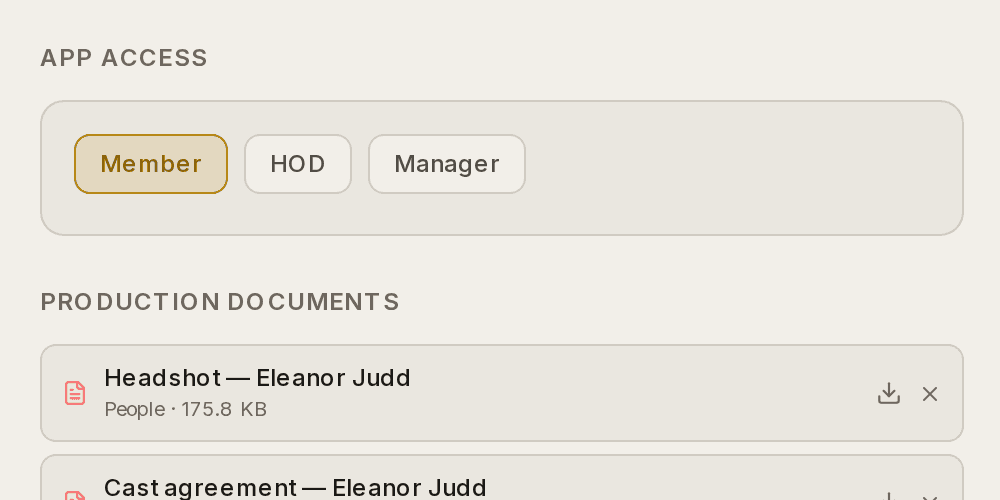
Screenshots show the light theme. The app looks the same in dark.
How to change somebody's production role
- Open People inside the production.
- Click the person's card.
- Under App Access, choose Member, HOD or Manager.
- Click Save Changes.
Each option explains what it can reach, so you are not guessing.
How to change somebody's organisation role
- Open Organisation ▸ Team.
- Change their role, or invite somebody new by email.
⚠ These two are separate. Giving somebody a Manager role in a show does not give them the Organisation area, and putting them on the admin team does not put them in a production.
Organisation roles
Set in Organisation ▸ Team (Owners manage the team). Only the admin team can reach the Organisation area:
-
Owner — full access, including billing, the team, data & privacy, and deleting the organisation.
-
Admin — runs the organisation day-to-day: everything except billing, the team, data & privacy, and the danger zone. Admins still handle general settings and payouts.
-
Presence Manager — the public-facing surfaces and ticketing operations: your website (design, events, news), your branding and society details, your venues and their seat maps, event ticketing, and ticketing insights — but not general settings, billing, the team, account health, the productions overview, or the bank/payout details.
The split to remember is setting up how a room is sold, versus receiving the money for it. A Presence Manager can lay out a hall, draw its seat map and put an event's tickets on sale; they can't see or change where your takings are paid. Deleting a venue outright stays with Owners and Admins too, because it detaches every show and event using that hall and destroys its map.
Being an Owner or Admin doesn't automatically give you standing access inside a production. To work in a show, assign yourself a production role on that show's People page.
We recommend keeping at least two Owners, so you're never locked out of billing, the team, or recovery if the only Owner loses access.
Production roles
- Manager — full access to a production: Show, Auditions, Budget, Timeline, Box Office, and everything else. This is the Production Secretary's role.
- HOD (Head of Department) — a department lead. HODs get People, Rehearsals, Meetings, and Documents on top of the member view.
- Member — cast and crew. A focused view: Dashboard, Noticeboard, My Schedule, and the Directory.
| Member | HOD | Manager | |
|---|---|---|---|
| Dashboard, Noticeboard, My Schedule, Directory | ✓ | ✓ | ✓ |
| People, Rehearsals, Meetings, Documents | ✓ | ✓ | |
| Show, Auditions, Budget, Timeline, Box Office | ✓ |
Who gets Bard
Bard (the AI assistant, on Produce+) follows whichever role fits where you are: inside a show it's for the Manager and HODs; in the Organisation area it's for Owners and Admins. Members and Presence Managers don't have Bard.
Changing someone's role
Production roles are set on the People page (edit the person → App Access) and apply to that show only. Organisation roles are set in Organisation ▸ Team, and only an Owner can change them. People can't change their own role.
These guides describe Prompter as it works today. Create a free account to try it, or see what it costs.